Self Balancing Robot V2
A drivable self-balancing robot that screams when it falls!
An advanced self-balancing robot utilizing the ESP32-S3 (N16R8) computing core, driven by a custom Kalman Filter and high-frequency PID control loop system.
This project features a fully custom-designed main controller PCB, proudly sponsored and manufactured by JLCPCB. Built entirely within the PlatformIO ecosystem, this hardware platform integrates an MPU6050 IMU, DRV8833 motor driver, 2S LiPo battery safety logic, lighting, and onboard speaker playback systems.
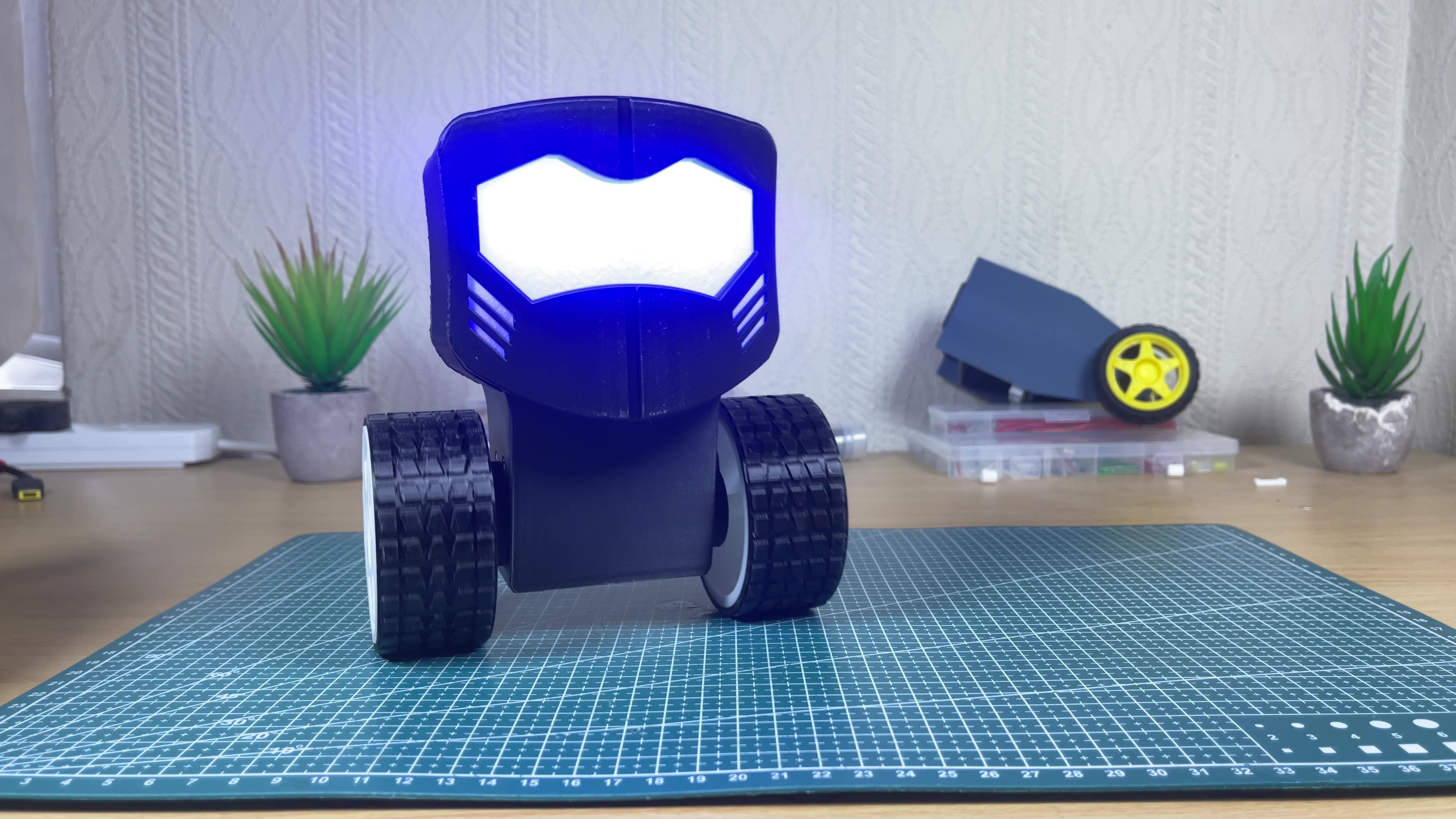
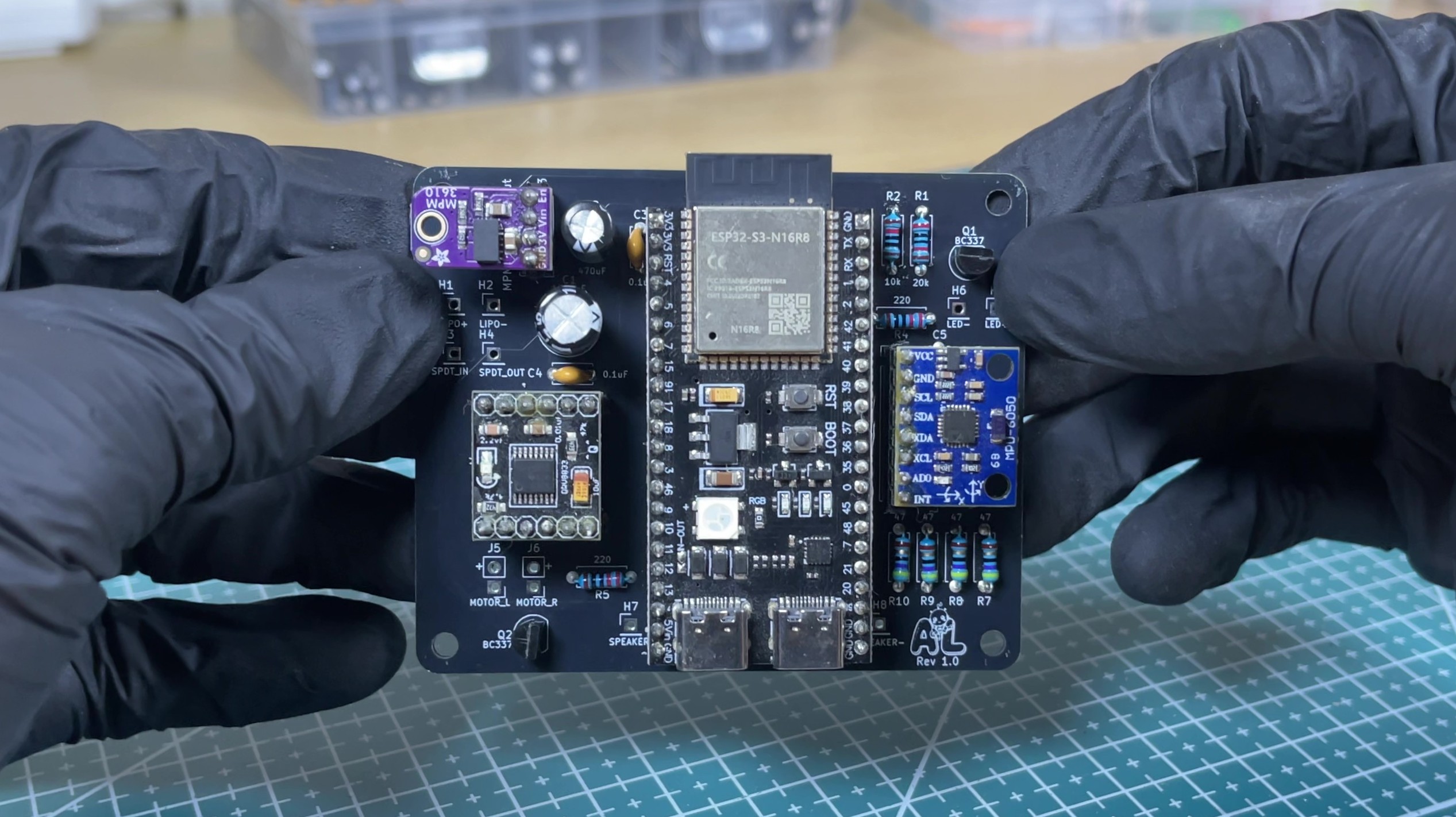
Hardware Overview: The left image shows the fully assembled robot actively balancing. The right image displays the fully populated custom controller PCB designed by me and manufactured by JLCPCB.
Core Features
- Advanced Estimation: Custom Kalman Filter implementation paired with an MPU6050 IMU for precise roll angle determination.
- Wireless Remote Control: Directional steering control handled over a dedicated ESP-NOW wireless connection.
- Motion Control: Dual-motor balancing algorithms with custom gain scheduling to aid in active stabilization.
- Hardware Protection: Automated motor shutdown constraints to prevent destructive runaway crashes.
- Power Management: Active voltage checks safeguarding the 2S LiPo system from dropping beneath unsafe cell margins.
- Audio & Visuals: Integrated 2P Edison filament LEDs with status animations alongside real-time sample-synchronized audio playback configured to make the robot scream.
Repository & Asset Downloads
All production files, mechanical CAD folders, firmware deployment packages, and assembly setup blueprints are completely open-source and hosted on GitHub.
👉 Download Files & View Project on GitHub
Repository Highlights:
- Bill of Materials: Complete component checklist detailing the TT Motors, MPM3610 buck regulator, speaker setups, and fastener sizing.
- Firmware Setup Guide: Comprehensive
config.hparameter walkthrough, audio tracking conversions, and PlatformIO environment properties. - Hardware Setup Guide: Access to production-ready
.3mfprint structures, raw SolidWorks history logs, and factory-ready Gerber export packages.